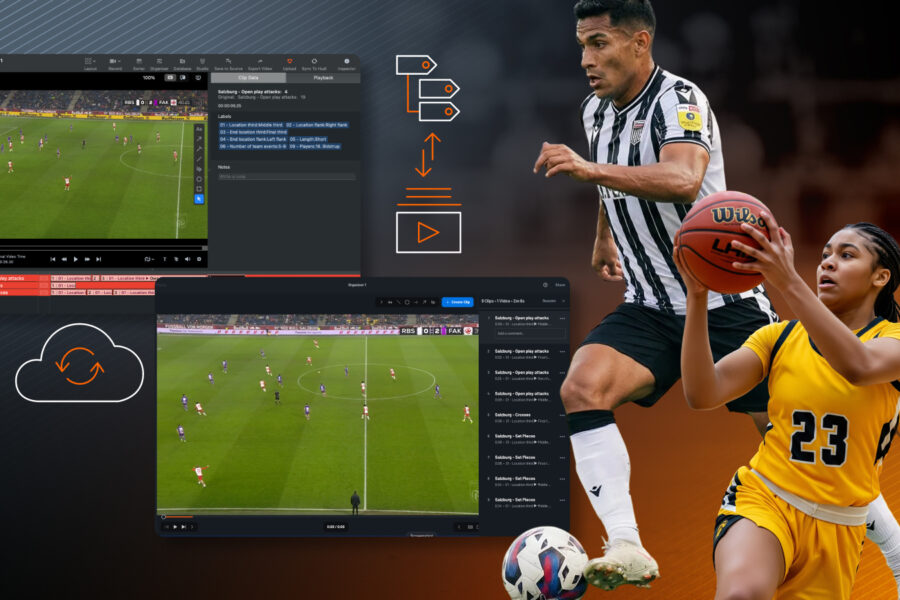
Introducing: Clean Playlist Sync between Sportscode and Hudl
23 Feb 2026
2 min Read
Sync between Hudl Sportscode and Hudl keeps video playlists intact, supporting high performance workflows without relying on file exports.
Sharing video playlists should support high-performance workflows, not slow them down with exports, duplicate files, and version confusion.
With the latest update to the Sportscode Hudl integration, teams can now sync playlists cleanly between Hudl Sportscode and Hudl, keeping their work intact across the entire workflow. This update is designed for elite environments where speed, clarity, and reliability matter most.
The problem with traditional playlist sharing
In many teams, playlist sharing still relies on exporting files and passing them between staff via USB drives, hard drives, or third-party tools. That approach creates friction:
Multiple versions of the same playlist circulating across staff
Re-exporting after every change
Drawings baked permanently into video, impossible to edit without starting over
Time lost rebuilding work instead of preparing sessions or matches
For teams operating in a high performance workflow, these inefficiencies quickly compound.
A cleaner way to manage video playlists
This update introduces a more reliable playlist sync between Hudl Sportscode and Hudl, shifting the workflow from exporting files to sharing updates.
Instead of sending copies of playlists, teams can now sync their video playlists while keeping key details intact across the round trip.
What’s included in this update:
1) Video playlists that arrive exactly as you built them
Playlists synced between Hudl Sportscode and Hudl preserve key details end-to-end. This reduces rework and helps teams move faster when sharing analysis internally.
2) Drawings that stay editable
Annotations and drawings are no longer permanently baked into the video. They remain editable after syncing, allowing analysts and coaches to refine playlists without starting over.
3) Playlist sync built for real workflows
Hudl Sportscode continues to support offline work. Analysts can work locally, then sync playlists to Hudl when ready. Updates are shared without relying on file transfers or duplicate exports.
As part of this workflow, playlists are reviewed in the updated Hudl interface. This doesn’t change how playlists are created in Hudl Sportscode, but provides a more consistent review experience in Hudl while keeping playlists and drawings intact. Step-by-step tutorials are available here to help teams get familiar with the updated interface.
Designed for high performance environments
Elite teams operate across travel, tight timelines, and distributed staff. This update supports that reality by:
Reducing manual playlist sharing
Minimizing rework across staff
Supporting offline work alongside cloud sync
Keeping video playlists consistent across tools
The result is a cleaner Sportscode Hudl integration that fits naturally into existing workflows.
Clean playlist sync between Sportscode and Hudl is now available for Hudl Sportscode users.
If you have questions about setup, access, or how this fits your workflow, your Hudl representative can help.